
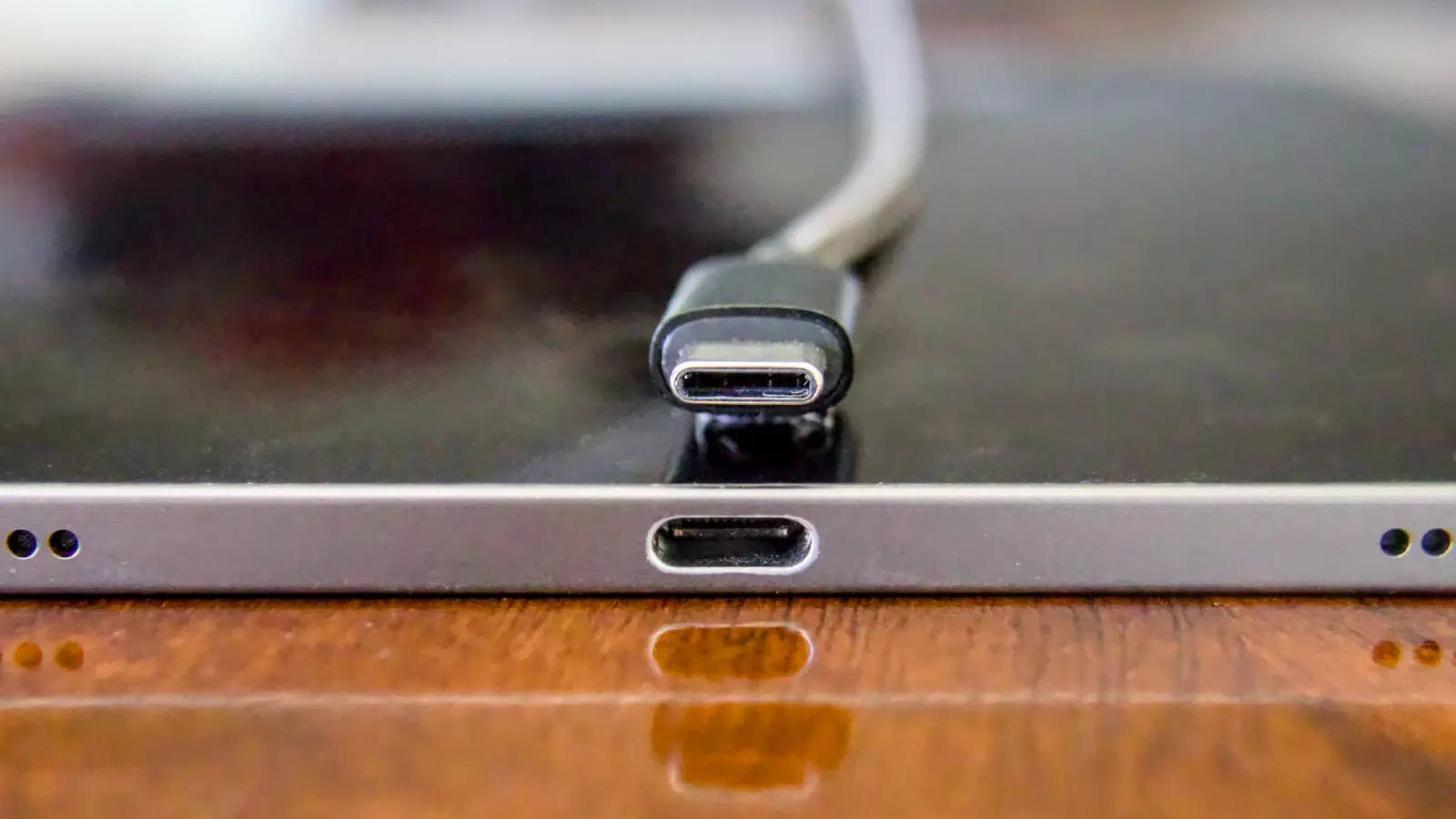
A usb c laptop charger will charge a laptop only when the laptop’s USB-C port accepts power input, the charger supports USB Power Delivery, and the wattage is high enough for that model. A higher-rated charger is usually fine when the laptop negotiates what it needs, but a weak charger, the wrong cable, a hub, or a data-only USB-C port can mean slow charging or no charging.
USB-C shape is not enough
USB-C is the small oval connector. It is not, by itself, a promise that the port can charge your laptop. USB-IF, the organisation behind USB standards, separates the connector from features such as USB Power Delivery, USB4 and USB 3.2, and says manufacturers can choose which of those features a product supports.
The feature that matters for laptop charging is USB Power Delivery, usually shortened to USB PD. It lets the charger and laptop communicate before sending higher power. That negotiation is why the same style of connector can be used on a phone charger, a laptop charger, a monitor and a dock, even though they may supply very different amounts of power.
USB-IF says USB PD was previously limited to 100 W. USB PD Revision 3.1 extends power delivery up to 240 W with new fixed voltages of 28 V, 36 V and 48 V, plus adjustable voltage supply modes. In plain terms: modern USB-C can carry laptop-level power, but only when the charger, cable and laptop are all designed for it.
This also explains why two USB-C ports on the same laptop may behave differently. One may support charging, while another may be for data, display or accessories. Microsoft gives a clear example: Surface Studio 2 and Surface Studio 2+ have USB-C ports, but they do not accept inbound power through USB-C.
How many watts should you look for?
Start with the laptop model, not the charger shape. The safest rule is to match the wattage recommended by the laptop maker, or choose a USB-C PD charger with equal or greater advertised wattage, as long as the laptop supports USB-C charging.
Apple says Mac laptops that charge through USB-C can charge from any USB-C power adapter or display, even if the wattage is higher or lower than the recommended adapter. Apple still recommends choosing an adapter with equal or greater wattage than the one that came with the Mac. Microsoft gives similar practical advice for Surface: use a USB Type-C Power Delivery charger that provides the device’s recommended wattage, because lower wattage may charge slowly or not at all and will not provide fast charging.
| Wattage | What it suggests | Check first |
|---|---|---|
| 30–35 W | Some MacBook Air models | Exact model |
| 45 W | Some Surface minimums | Minimum vs fast charge |
| 60–70 W | Many thin laptops | Maker’s wattage |
| 96–100 W | Higher-power USB-C | Cable and port |
| 140 W+ | Large modern laptops | PD 3.1 support |
For examples, Microsoft lists Surface Laptop 13-inch as needing 45 W minimum and 60 W for fast charging, while Surface Laptop 3, 4 and 5 list 60 W minimum and 60 W recommended. Apple lists recent MacBook Air models with 30 W, 35 W, 67 W or 70 W adapters depending on model and configuration. Apple lists 14-inch MacBook Pro models introduced in 2021 or later with 67 W, 70 W or 96 W adapters, and 16-inch MacBook Pro models introduced in 2021 or later with 140 W.
If you own a Dell laptop, Dell advises not assuming that any USB-C charger will work just because the connector fits. Charging depends on USB-C Power Delivery support, the laptop’s wattage requirement and model-specific compatibility. Dell also says a too-weak charger may charge slowly, show warnings or fail to charge properly under load.
Find your model and read the power label
Before buying or borrowing a charger, identify the exact laptop model. For Dell, HP, Lenovo, ASUS and Acer machines, use the full model number shown on the laptop label, the purchase record or the maker’s support page. For MacBook models, compare the model and screen size with Apple’s adapter list.
Then look at the charger that came with the laptop, if you still have it. The output label normally shows voltage and current. Watts are voltage multiplied by current. If the label gives a wattage directly, use that as your reference; if it gives only volts and amps, multiply them to understand the power level the laptop was designed around.
- Write down the exact laptop model, not just the series name.
- Check whether the manual or support page says the USB-C port accepts USB Power Delivery input.
- Find the wattage recommended for that model, or read the adapter label.
- Choose a USB-C PD charger that meets or exceeds that wattage.
- Use a cable advertised for the same charging level as the charger.
For Lenovo’s Legion 5 16IRX9 documentation, the USB-C connector marked with the USB-PD icon conforms to USB Power Delivery and can use a qualified USB-C PD charger while the computer is asleep or powered off. Lenovo lists tested charger ratings of 20 V at 4.75 A, 5 A, 6.75 A and 7 A, but also warns that this USB-C connector is not designed as the primary power input. While the computer is operating, USB-C power may be insufficient, performance may be reduced, and battery charging may stop or be very slow.
That last point matters for gaming and workstation laptops. USB-C may be useful for travel, office work or charging while powered down, but it may not replace the larger maker-supplied adapter when the laptop is under heavy load.

Why charging is slow or does not start
A slow-charge warning is not always a failed charger. It can be caused by the charger, cable, hub, monitor, USB-C port, battery or the laptop’s charging circuit.
- The charger does not support USB PD. A USB-C connector alone is not enough.
- The wattage is too low. Microsoft says lower wattage may charge slowly or not at all on Surface devices.
- You are using USB-A to USB-C. Microsoft says a USB-A charger with a USB-A-to-USB-C cable may charge slowly or not at all and will not provide fast charging.
- The wrong USB-C port is used. Some ports do not accept power input.
- A dock or hub is taking power first. Dell explains that a hub, dock and attached devices consume some adapter wattage before power reaches the laptop.
- The port is dirty or damaged. Apple recommends checking USB-C ports for debris when a Mac power adapter is not charging.
- The laptop needs an update or service. Apple recommends checking software or firmware updates and bringing the Mac, adapter and USB-C charging cables for service if charging still fails.
Hubs and monitors need special attention. USB-IF gives the example of a monitor powering or charging a laptop while displaying, but that still depends on the monitor’s power output. Dell gives a dock example where a 130 W adapter may pass only 90 W back to the laptop after going through a hub or dock. If charging is slow through a dock, test the charger directly into the laptop before blaming the battery.
A practical diagnostic path
Work from the easiest checks to the most expensive parts. Do not keep testing if there is heat, a burning smell, liquid damage or a loose port.
Stop and ask a technician if the USB-C port is bent, loose, visibly burnt, or only charges when the cable is held at an angle. Continued testing can worsen a board-level fault.
- Confirm the laptop supports USB-C charging. Check the exact model manual. Older Surface Laptop 1st Gen and Surface Laptop 2 are listed as charging only through Surface Connect, not USB-C.
- Use a known USB-C PD charger with enough wattage. Avoid using a phone charger as your main test unless the laptop maker says that power level is enough.
- Try another suitable USB-C cable. The cable must be advertised for charging at the power level you are testing.
- Plug directly into the laptop. Remove hubs, docks and monitors from the test path.
- Try the other USB-C port, if the manual says it accepts power. If only one port is meant for charging, use that one.
- Inspect the port with the laptop off. Look for debris, a damaged centre tongue or looseness. Do not scrape with metal tools.
- Check the operating system’s charging information. On a Mac, Apple says you can check the connected adapter or display wattage in System Information. On Windows laptops, note any slow-charger or low-power warning shown by the system or maker utility.
- Separate battery symptoms from charging symptoms. If the laptop runs from the charger but the percentage never rises, the battery may be weak. If it does not recognise any known-good charger, the USB-C port, DC-in board or motherboard charging circuit may be involved.
If the battery is the likely issue, compare the exact battery model before ordering. LaptopClinic.sg has a separate battery category at /catalog/battery, and the guide How to Buy a Laptop Battery explains what to match before replacement.

Buying safely in Singapore
For Singapore use, check the wall plug, the input label and the USB-C output rating before you pay. A travel adapter can change the plug shape, but it does not make a weak charger suitable for a laptop. The important laptop-side question remains the same: does it advertise USB-C Power Delivery at enough watts for your exact model?
If you travel, also check whether a multi-port charger reduces the power available to the laptop when other devices are connected. Dell’s hub example is a good reminder that the number printed on the charger is not always the number reaching the laptop after another device sits in between.
If your laptop needs no more than 100 W and the port supports USB-C PD charging, a 100 W travel charging accessory may be enough for light travel use; confirm against your laptop’s wattage first. You can compare the listed accessory at /universal-travel-adapter-international-plug-set-100w-black.html. For model uncertainty, send the exact laptop model and a photo of the existing adapter label through /contact. LaptopClinic.sg is an online store with no public walk-in counter, and compatibility questions can also be sent by WhatsApp to +65 8828 8180.
When choosing between the adapter that came with the laptop and a compatible USB-C PD charger sold locally, use the maker-supplied adapter for the most demanding work, especially where the laptop maker says USB-C is not the primary power input. Use a compatible USB-C PD charger only when your model supports it and the wattage is suitable.
Questions and answers
Can I use any USB-C charger for my laptop?
No. The charger should support USB Power Delivery, the laptop port must accept power input, and the wattage should meet the laptop maker’s recommendation.
Will a higher-wattage charger damage the laptop?
For laptops designed to charge through USB-C, the charger and laptop negotiate power through USB Power Delivery. Apple says USB-C Mac laptops can charge from a USB-C adapter or display even if its wattage is higher or lower than the recommended adapter, while still recommending equal or greater wattage than the adapter that came with the Mac.
Why does one USB-C port charge but another does nothing?
USB-C is only the connector type. Manufacturers can choose which ports support charging, data, display or other functions. Check the laptop manual for the charging-capable port or a USB-PD marking.
Can I charge through a USB-C hub, dock or monitor?
Yes, if that device supplies enough USB Power Delivery to the laptop. A hub or dock may consume some of the adapter’s wattage first; Dell gives an example where 130 W into a dock may become 90 W available to the laptop.
Is a phone charger enough for a laptop?
Usually not for normal laptop use unless its USB-C Power Delivery output meets the laptop’s requirement. Microsoft says lower-wattage chargers, and USB-A chargers used with USB-A-to-USB-C cables, may charge slowly or not at all.
Can USB-C replace a gaming laptop power brick?
Not always. Lenovo warns on one Legion model that USB-C charging is not designed as the primary power input, and performance may be reduced or charging may stop or be very slow while the computer is operating.
Sources
- USB Implementers Forum: USB Charger (USB Power Delivery)
- USB Implementers Forum: USB Type-C® and USB 2.0 Type-C™ Cable and Connector: Language Usage Guidelines from USB-IF
- Microsoft: USB-C and Fast Charging for Surface
- Microsoft: Surface charging requirements and power supplies for Surface Laptop
- Apple: Use a power adaptor with your Mac
- Apple: If your USB-C power adaptor isn't charging your Mac laptop
- Dell Technologies: How to Identify AC Adapter Damage on Dell Systems
- Dell Technologies: Powered Docks and Hubs May Be Slow To Charge or Do Not Charge Dell Laptops
- Dell Technologies: Power Delivery Capabilities of USB-C Ports on Dell Laptops
- Lenovo: Using a Power Delivery compliant USB Type-C charger with the computer